


Proxy Browser
3.83.56K Reviews
App Specs
- Version
- 5.0 RC1
- Updated On
- License
- Free
- Downloads
- 100,000,000+
- Developer
- DS tools
- Categories
- Tools
- Platform
- Android
Screenshots
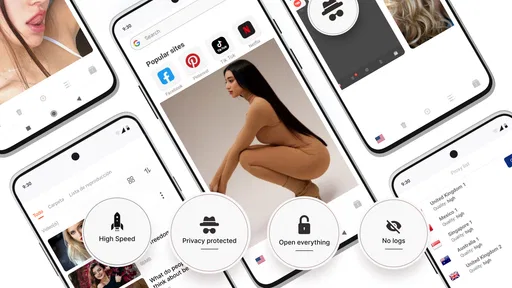
 Analysis by AppCompare
I reach for Proxy Browser when I want a browsing session to feel a little less tied to my usual network location. Its appeal is straightforward: it combines a web browser with proxy access, so I can try a different connection route without setting up a separate system-wide tool. That makes it worth considering for casual browsing, though it is not a substitute for careful security habits or a reliable connection.
When the network changes the experience
A proxy can affect more than the apparent location of a browsing session. Pages still depend on the quality of the connection between the phone, the proxy, and the website, so a route that helps with one site may feel slower or less dependable on another. I would treat location switching as a practical option to test, not a guarantee that every page or service will behave differently.
That distinction matters if you are hoping to view location-sensitive content. A proxy may change what a website can infer about your connection, but services can use other checks too, and access can still be restricted. I would try the feature for ordinary browsing experiments rather than planning an important task around a particular region being available.
Where it fits into a mobile routine
For a quick check while waiting for a bus or sitting in a café, a browser with proxy controls can be more convenient than changing network settings for the whole device. I can keep the choice focused on web browsing instead of assuming every app on my phone is using the same route. That narrower role is useful, but it also means it should not be mistaken for device-wide protection.
A sensible everyday workflow is to open the browser, test the page that matters, and switch back to a normal connection if the route is sluggish or the site refuses to load. I would avoid starting with a long video, a large download, or a time-sensitive form when I am unsure how the chosen route will perform. Try a lightweight page first; it gives you a quick feel for whether that session is suitable.
What to do when a page stalls
Proxy browsing adds another possible point of friction: a page can fail because of the website, the ordinary network, or the route between them. If something hangs, I would first reload once, then try another page to see whether the problem is isolated. If only one site is affected, switching locations or returning to the usual connection is a more useful test than repeatedly waiting on the same screen.
This is also why I would not rely on a proxy browser as the only way to reach a site I need for work, travel, or account access. Keep a regular browser available as a fallback, especially for sign-ins and payment steps. A different route can prompt extra verification or simply be rejected by a service, so having an alternate way to finish the task saves frustration.
Worth Reading Before You Choose

Baby Panda World Brings Quick Play to Modern Phones, but Its Game Library Feels Busy

ESPN’s Live Game View Makes Following Close Games Easier

QuizzLand Review: A Good Fit for Short Trivia Breaks, Not Every Player

Basketball Stars: Multiplayer Is Fast, but Can It Recover When Matches Go Wrong?

WEBTOON Turns Phone Updates Into a Better Reading Routine

Link to Windows Runs on Shared Habits, Not Social Feeds
Keeping mobile data in mind
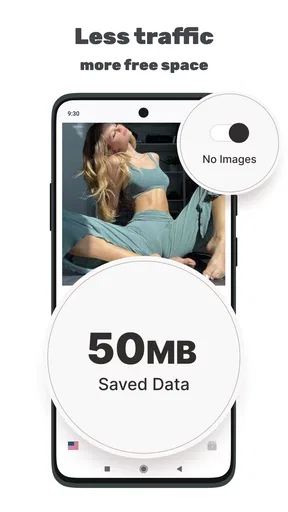
When I am away from Wi-Fi, I pay attention to the kind of browsing I do rather than assuming a proxy makes data use lighter. Pages with images, video, and repeated refreshes can still consume mobile data, and an extra network route does not remove that concern. If I am on a limited plan, I would use the browser for brief checks and save heavier browsing for a connection I am comfortable using.
It helps to be selective about tabs, too. Several pages left open can each refresh or load content when revisited, making it harder to keep track of what the session is doing. For a focused task, I close pages I no longer need and avoid using a location switch just to keep retrying a site that is already failing. That simple habit keeps the experience more predictable.
What Proxy Browser is best suited to
In the tools category, Proxy Browser is a free app from DS tools, with optional in-app purchases priced from around five to fifty-five dollars per item. It is rated for Everyone, has an average rating of 3.8 from around 793,000 ratings, and has been installed over 100 million times. Its current version is 5.0 RC1, and it runs on Android 5.0 and later.
The scale of its audience suggests that many people are willing to try a browser built around proxy access, but popularity alone does not tell me whether it suits a particular privacy need. I would choose it for convenient, occasional web browsing through a proxy. I would skip it if I need a clearly established privacy service for sensitive work, a system-wide network tool, or a guaranteed way around a website’s access rules.
Comparing it with ordinary alternatives
A standard mobile browser is the simpler choice when speed, familiar account syncing, and everyday compatibility matter most. A separate VPN app is usually the more relevant alternative when someone wants to route traffic from multiple apps rather than browsing alone. Proxy Browser occupies a narrower middle ground: it puts proxy-oriented browsing into a browser workflow, which can be convenient, but that convenience should not be confused with broader device coverage.
I also would not judge a privacy tool only by the word “proxy” or by a location selector. For sensitive browsing, I look for clear explanations of how a service handles traffic and what protections it offers, then decide whether that level of assurance is enough for the task. For routine reading, checking a page, or exploring how a site appears from another location, a lightweight browser may be all I need.
Practical checks before relying on it
Before using a proxy route for an account, I would test a low-stakes page first and make sure I can switch back easily. If the site asks for extra verification, I would treat that as a normal possibility rather than repeatedly changing locations to force access. Constantly changing routes can make a session less consistent and may create more account friction than it solves.
I would also separate privacy expectations from browsing convenience. A proxy can change the route a request takes, but it does not make every action anonymous, protect against every threat, or replace sensible choices about passwords and personal information. I would avoid entering sensitive details on an unfamiliar or questionable page regardless of which connection route I use.
First impressions and setup
Setting up Proxy Browser was a breeze. Seriously, I’ve had more trouble assembling IKEA furniture. Once you download it (links available on our site for both Android and iOS), you’re greeted with a clean and straightforward interface. It’s not cluttered, which I really appreciate because nobody needs extra stress in their digital life.
The app doesn’t bombard you with a million permissions right off the bat, which is a big plus in my book. You simply grant access to the essentials, and you’re good to go. This shows me that the developers have thought about user privacy from the get-go.
Browsing experience
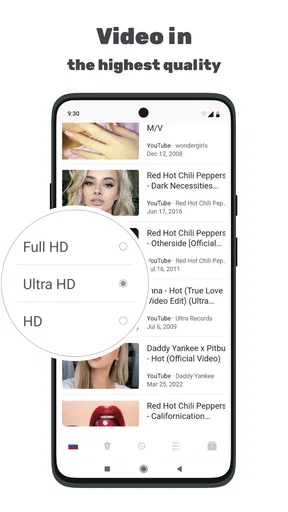
Now, let’s talk about the actual browsing. The speed is decent, even when connected to distant servers. Of course, it’s not as fast as your regular browser without a proxy, but the trade-off for privacy is totally worth it. Streaming videos and loading websites didn’t cause any hair-pulling moments, which is always a good sign.
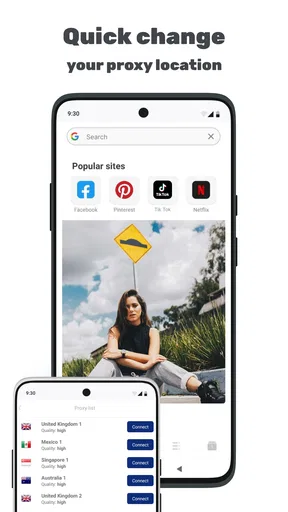
One feature I found super handy is the ability to switch between proxy locations with just a couple of taps. Whether you need to appear like you’re surfing from Europe, Asia, or anywhere else, it’s as easy as pie. This makes it awesome for accessing content that might be restricted based on your location.
Security and privacy
Security is where Proxy Browser really shines. It uses encryption to keep your data safe, which is crucial if you’re using public Wi-Fi networks. The app also has a no-log policy, meaning they don’t keep tabs on your browsing habits. This gives me peace of mind knowing that my online activities are truly private.
Moreover, the app’s built-in ad blocker is a game-changer. It helps pages load faster by removing those pesky ads, and let’s be honest, who doesn’t love a clean browsing experience?
User interface and features
The user interface is intuitive and easy to navigate. You won’t find yourself getting lost in a maze of settings. Everything is laid out logically, and the design is sleek and minimalistic. I’m a fan of the dark mode option, which is easy on the eyes during late-night browsing sessions.
One of the cool features is the ability to bookmark your favorite proxy servers. This is super useful if you have specific locations you frequently visit online. Plus, the app allows you to customize your home page, so you can have all your go-to sites just a tap away.
My connectivity verdict
For a realistic use case, imagine I am on public Wi-Fi and want to read a few pages without changing the connection settings for my entire phone. I can open the browser, choose a proxy location, and see whether the pages load at a pace that feels comfortable. If a site is slow or refuses the route, I can switch back to my ordinary browser rather than turning a quick check into a drawn-out troubleshooting session.
The practical trade-off is that the app’s convenience depends on the network behaving well enough to carry both the request and the response. A weak café connection can still make browsing frustrating, and a distant route may feel slower than a direct one. I find it most useful when I have enough connectivity to browse normally but want the option to change how the browser connects.
So, is it the right choice for you? I’d say yes if you want a simple way to try proxy-based web browsing, value having location choices close at hand, and understand that some sites may not cooperate. If you need the consistency of a conventional browser, protection across every app, or a connection you can trust for a critical task, I would use a different tool for that job.
Overall, this is a practical option for casual browsing rather than a cure-all for privacy or access problems. I like that the experience brings proxy controls into a familiar browser setting, while the need to test pages and keep a fallback in mind is part of the deal. Used with realistic expectations, it can be handy; used as a guarantee of anonymity or uninterrupted access, it asks more than any browser should promise.
Pros
- Fast and secure browsing experience.
- User-friendly interface and navigation.
- Supports multiple proxy servers.
- No registration required for use.
- Compatible with most websites.
Cons
- Limited customer support options.
- Occasional connection drops.
- Ads can be intrusive at times.
- Some features behind a paywall.
- Not available on all devices.
FAQs for Proxy Browser
What is Proxy Browser and how does it work?
Proxy Browser is an application designed to provide users with a secure and private browsing experience. It uses proxy servers to route your internet connection through different locations, masking your IP address and ensuring anonymity. This allows you to access restricted content and browse without being tracked.
Is Proxy Browser safe to use for online transactions?
Proxy Browser enhances privacy by masking your IP address, but for online transactions, it's important to ensure the site you're visiting is secure (look for HTTPS). While Proxy Browser provides anonymity, users should still be cautious and use additional security measures like VPNs for sensitive activities.
Does Proxy Browser affect browsing speed?
Using a proxy can potentially slow down your browsing speed because your data is routed through an additional server. However, Proxy Browser is optimized to minimize speed reductions. Users may notice a slight delay, especially if connecting to servers that are geographically distant or during peak times.
Can I use Proxy Browser to access geo-restricted content?
Yes, one of the main features of Proxy Browser is its ability to access geo-restricted content. By selecting a proxy server located in a different country, users can bypass regional restrictions and access content that might otherwise be unavailable in their location.
Is Proxy Browser free to use, and are there any in-app purchases?
Proxy Browser is available as a free download, offering basic proxy services at no cost. However, it may include in-app purchases or subscription options for enhanced features such as faster browsing speeds, additional server locations, or ad-free experiences. Always check the app description for detailed pricing information.


